
Massive Adds x402 Payments Access for AI Agents with Coinbase
Massive US stock data is now available to AI agents via x402. Pay per request in USDC on agent.massive.com, with no account or API key. Built with Coinbase.

editor

Introducing
Jan 14, 2026
TL;DR — ICYMI, TMX Wall Street Horizon recently released their Q4 2025 earnings preview, so we thought it would be a great opportunity to showcase our new offering. Massive has partnered with TMX Wall Street Horizon to bring corporate events data directly into the Massive API. The TMX Corporate Events endpoint provides normalized, daily-updated insight into earnings announcements, dividends, shareholder meetings, conferences, and more across thousands of global companies back to 2018, all accessible through Massive’s API with flexible subscription options.
Accessing corporate events data, from detailed earnings schedules and dividend dates to conference calls and shareholder meetings, has historically been a challenge, often requiring piecing together disparate sources like news articles or social posts. Massive's new partnership with TMX Wall Street Horizon changes that.
TMX Wall Street Horizon, a leading provider of corporate events intelligence, now delivers its institutional-grade datasets through Massive's API. This includes complete transparency into earnings announcements, dividends, conference calls, shareholder meetings, and more across thousands of companies back to 2018.
The Corporate Events endpoint provides normalized data for daily and historical frequencies. Additionally, status tracking (confirmed, approved, canceled, postponed) combines with comprehensive event metadata to offer a daily snapshot of corporate activity, all in one streamlined API call.
We also built a Streamlit calendar demo that you can find towards the bottom of this blog post, or you can visit our community GitHub Space.
Access Requirements: This endpoint requires TMX Corporate Events access, available as part of Massive's partnership offerings.
We've launched one new REST API endpoint through this partnership:
Coverage: Thousands of companies across US, Canadian, and global markets, with comprehensive event data spanning 22 different event types back to 2018.
The endpoint is designed for developer ease, with support for pagination, sorting, and filtering by dates, tickers, event types, and statuses.
Purpose: Track earnings announcements, dividends, shareholder meetings, and other corporate events for calendar management and event monitoring.
Sample Use Cases:
Python Example:
from massive import RESTClient
client = RESTClient(api_key="YOUR_API_KEY")
events = []
for event in client.list_tmx_corporate_events(
    date_gte="2026-01-01",
    date_lte="2026-12-31",
    type="earnings_conference_call",
    ticker="AAPL",
    limit=100,
    sort="date.asc"
):
    events.append(event)
print(events)
Sample Response (truncated):
{
  "status": "OK",
  "results": [
    {
      "isin": "US0378331005",
      "date": "2026-01-29",
      "ticker": "AAPL",
      "type": "earnings_conference_call",
      "tmx_record_id": "5DP32OO2",
      "tmx_company_id": 201,
      "status": "confirmed",
      "url": "http://mmm.wallstreethorizon.com/u.asp?u=174639",
      "name": "Q1 2026 Earnings Conference Call",
      "company_name": "Apple, Inc.",
      "trading_venue": "XNAS"
    }
  ]
}
Filtering with Multiple Values
The endpoint supports advanced filtering using any_of modifiers for multiple tickers, event types, or statuses:
from massive import RESTClient
client = RESTClient("YOUR_API_KEY")
events = []
for event in client.list_tmx_corporate_events(
    type="earnings_announcement_date,earnings_conference_call,dividend",
    ticker_any_of="AAPL,MSFT,GOOGL",
    limit="100",
    sort="date.desc"
):
    events.append(event)
print(events)
sort (e.g., date.asc) for efficient queries; next_url for additional pages. The endpoint automatically handles pagination to retrieve all results.date.gte and date.lte support date filtering. Historical data is available back to January 1, 2018.TMX's data is processed daily, with event statuses tracked in real-time (confirmed, approved, canceled, postponed, pending approval, historical, unconfirmed). Events are normalized across global markets, ensuring consistency. Expect high uptime (99.99%) and comprehensive coverage. Fields are omitted if data is unavailable.
To show how the Corporate Events endpoint can be used in a real-world workflow, we built the Corporate Events Calendar Dashboard. It is a Streamlit application that turns raw API responses into an interactive calendar, event filtering, and detailed event information.
The full code is available in our GitHub community space.
Below is a step-by-step walkthrough to run it locally and understand what it's doing under the hood.
Start by cloning the Massive community repository and navigating to the TMX demo directory:
git clone https://github.com/massive-com/community.git
cd community/examples/rest/partner-tmx
This demo requires:
- Python 3.11+
- uv for dependency management
- A Massive API key with TMX Corporate Events access
If you don't already have uv installed, you can install it with:
curl -Ls https://astral.sh/uv/install.sh | sh
All dependencies are defined in the project configuration. Install them with a single command:
uv sync
Copy the example environment file and add your Massive API key:
cp env.example .env
Edit .env and set:
MASSIVE_API_KEY=your_api_key_here
Launch the Streamlit app using uv:
uv run streamlit run streamlit_app.py
Once running, Streamlit will open a local window where you can interactively explore corporate events data.
The calendar and filters are organized around several fields and sections, each mapped directly to the TMX Corporate Events endpoint and common research tasks.
Interactive Calendar View
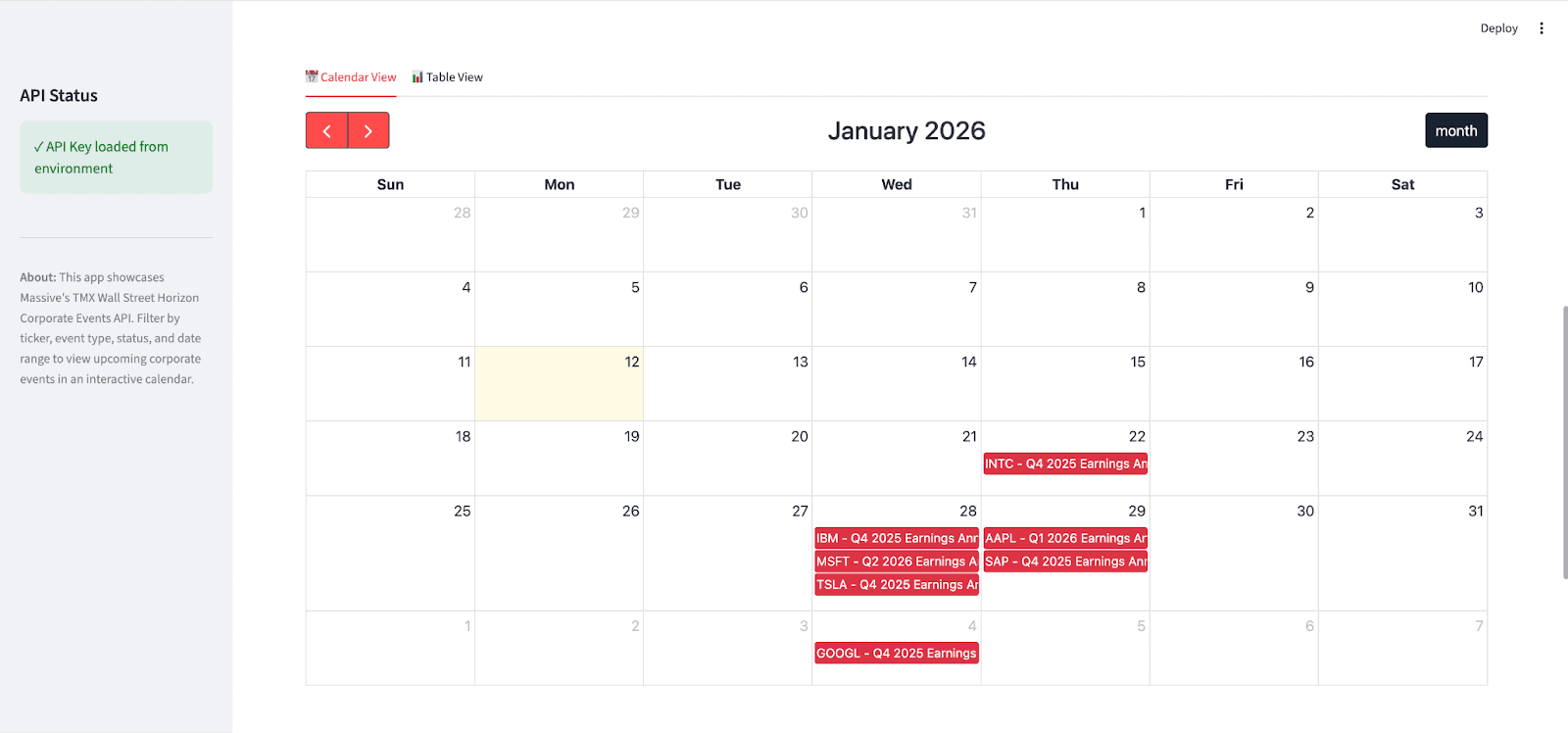
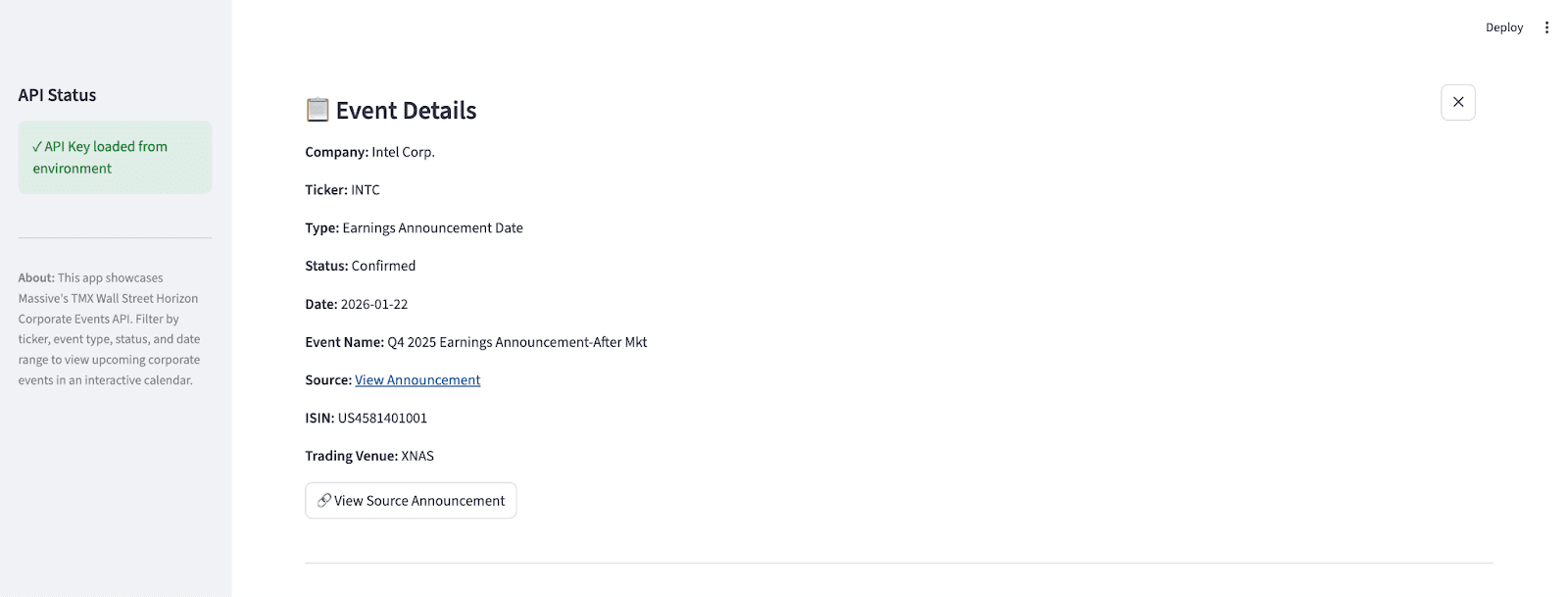
Using TMX Wall Street Horizon Corporate Events data, the demo:
Event Filtering & Search
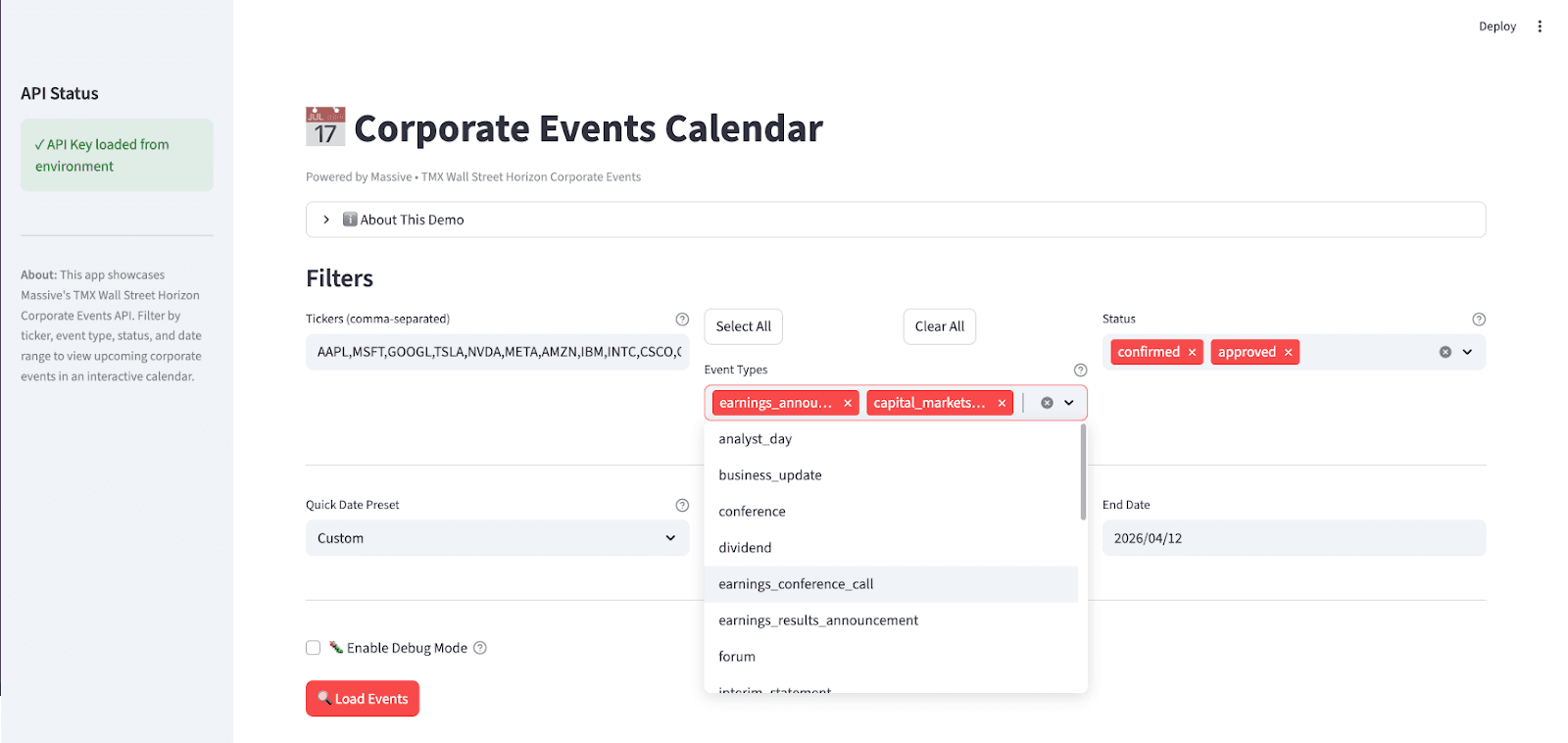
Powered by flexible API filtering, the dashboard:
ticker.any_of)Table View
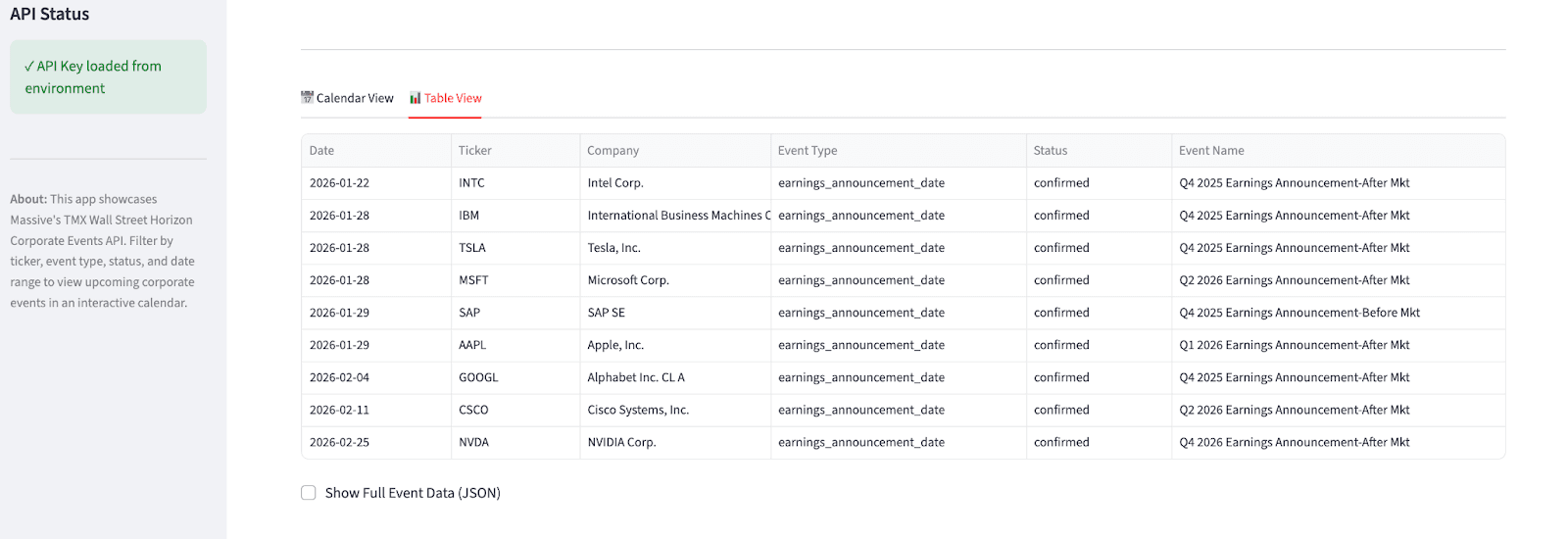
Finally, the demo provides an alternative tabular view:
To keep the dashboard fast and responsive, the demo:
any_of filter modifiers when multiple values are providedThis demo is intentionally designed to be both educational and extensible. You can run it as-is to explore TMX Wall Street Horizon Corporate Events data, or use it as a reference for building your own event tracking tools, dashboards, or production workflows on top of Massive's API.
Clone the repo, add your API key, and start exploring corporate events data at scale.
If you’d like to find out more about TMX Wall Street Horizon, make sure to check them out on X, LinkedIn, or Youtube.

Alex Novotny
alexnovotny
See what's happening at Massive
Massive US stock data is now available to AI agents via x402. Pay per request in USDC on agent.massive.com, with no account or API key. Built with Coinbase.
editor

Starting August 17, 2026, Cboe's Options Exchange is extending trading hours for select single-stock equity options with a morning GTH session (7:30–9:25 am ET) and Curb session (4:00–4:15 pm ET).

cole

A SEC 8-K API that labels what actually happened. Query filings by event type (CEO departures, cybersecurity incidents, M&A), with source-cited tags.

rian